Recording a check or cash payment by hand
A payment that did not go through Trussi's online payments, such as a check handed over at signing or cash on completion, is recorded by hand on the project's Payments tab.
On this page
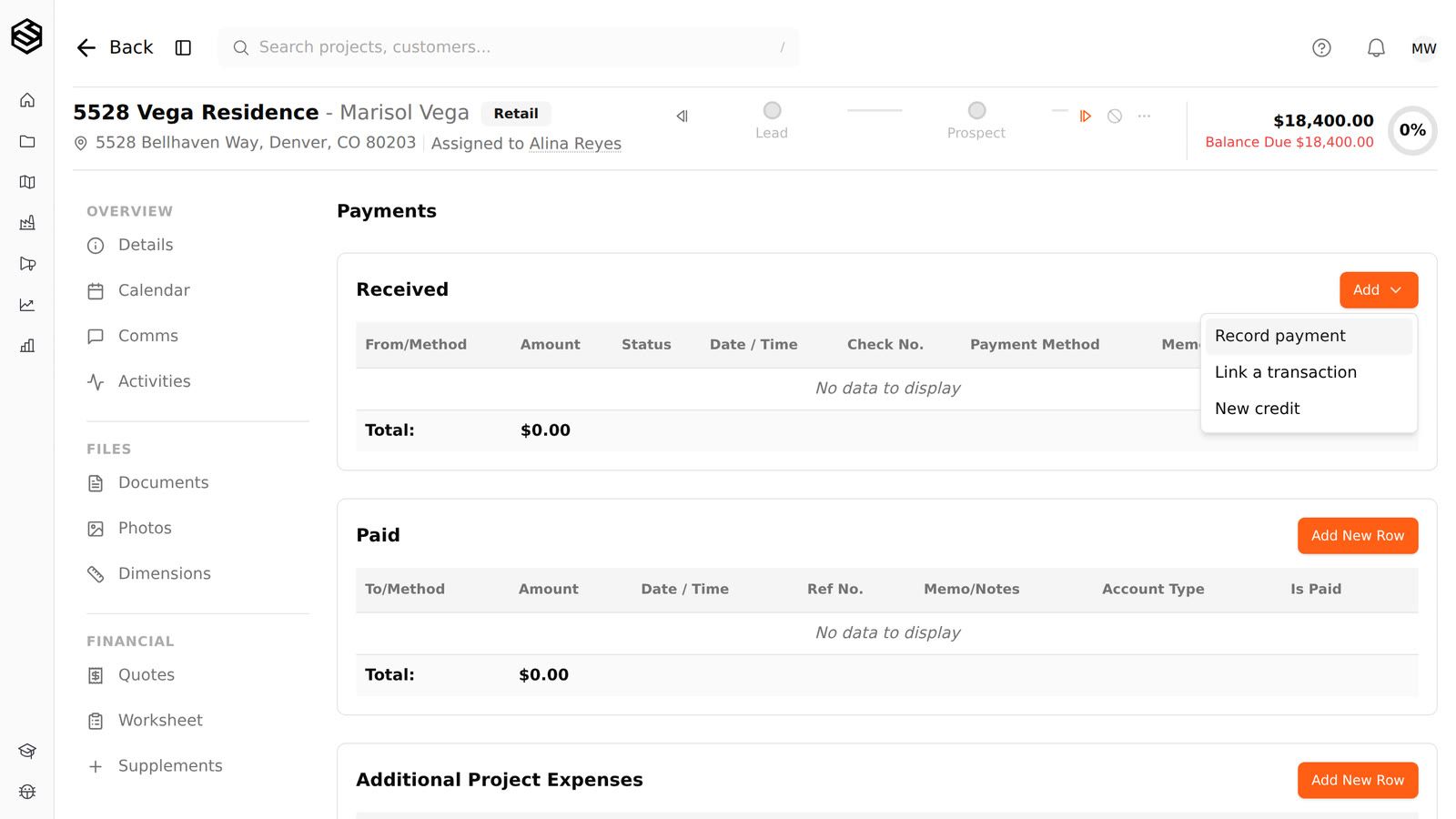
Recording one takes Create on Payments. The row lands in the Received table, the received total goes up by the amount, and the balance due in the project header comes down by the same amount. The payment also shows in the project activity feed.
The amount has to be more than zero. Money going back to the homeowner is a credit, not a negative payment typed here; see the guide on issuing a customer credit.
A payment entered wrong, such as one dated the day it was typed up rather than the day the check came in, is corrected with the pencil on its row, which opens the same form with everything filled in. Editing takes Modify on Payments. Only payments recorded by hand can be edited: one that came through online payments or was synced with QuickBooks has no pencil, since a bank return or QuickBooks is matched against it.
Step by step
- Open the project and go to its Payments tab. Where: the project's Payments tab. Needs View on Payments.
- In the Received table, press Add and choose Record payment. Needs Create on Payments.
- Enter the amount, the date, whether it is a payment or a deposit, and the payment method (for example Check or Cash). Add the check number and a memo if you have them, and pick the invoice it pays if the job has one.
- Press Record payment. The row appears under Received and the balance due drops.
Who can do this
Access in Trussi is a capability granted to a role. If one of these is missing from your role, an account admin can grant it; see roles, permissions and why something is hidden.
- Create on Payments
- Modify on Payments
- View on Payments
Was this article helpful?
Related articles
- Taking a full or partial payment onlineA homeowner can pay part of a job's balance, such as a deposit, a percentage of the job or whatever the insurance check covers, and the rest stays on the balance due for the next payment.
- Giving a homeowner money back with a creditA credit is how you record money going back to a homeowner: a refund, an overpayment you returned, or a payment you are taking back because it was entered by mistake.
- Invoices, payments and accountingThe project's Payments tab holds payments received, payments paid, additional expenses, and the project's invoices, with received payments able to be tied to a specific invoice.
- Payment method optionsThe payment methods a payment can be recorded against are a tenant-owned list, kept on the Payment methods card of the Custom Fields screen under Settings.