Run your team list in one pass
Change several people’s role at once, and archive leavers off your team list without deleting anyone who is on a hundred jobs.
Two things about the users screen have been quietly annoying for a while, and they are both the same shape of annoying: the screen made you do one person at a time, or it made you choose between a cluttered list and deleting somebody.
Both are fixed. Here is what changed.
Promoting six people used to mean opening six profiles
A crew gets promoted together more often than one at a time. Somebody buys a second branch and half the field staff become branch managers on the same Monday; a season ends and four estimators move into the office.
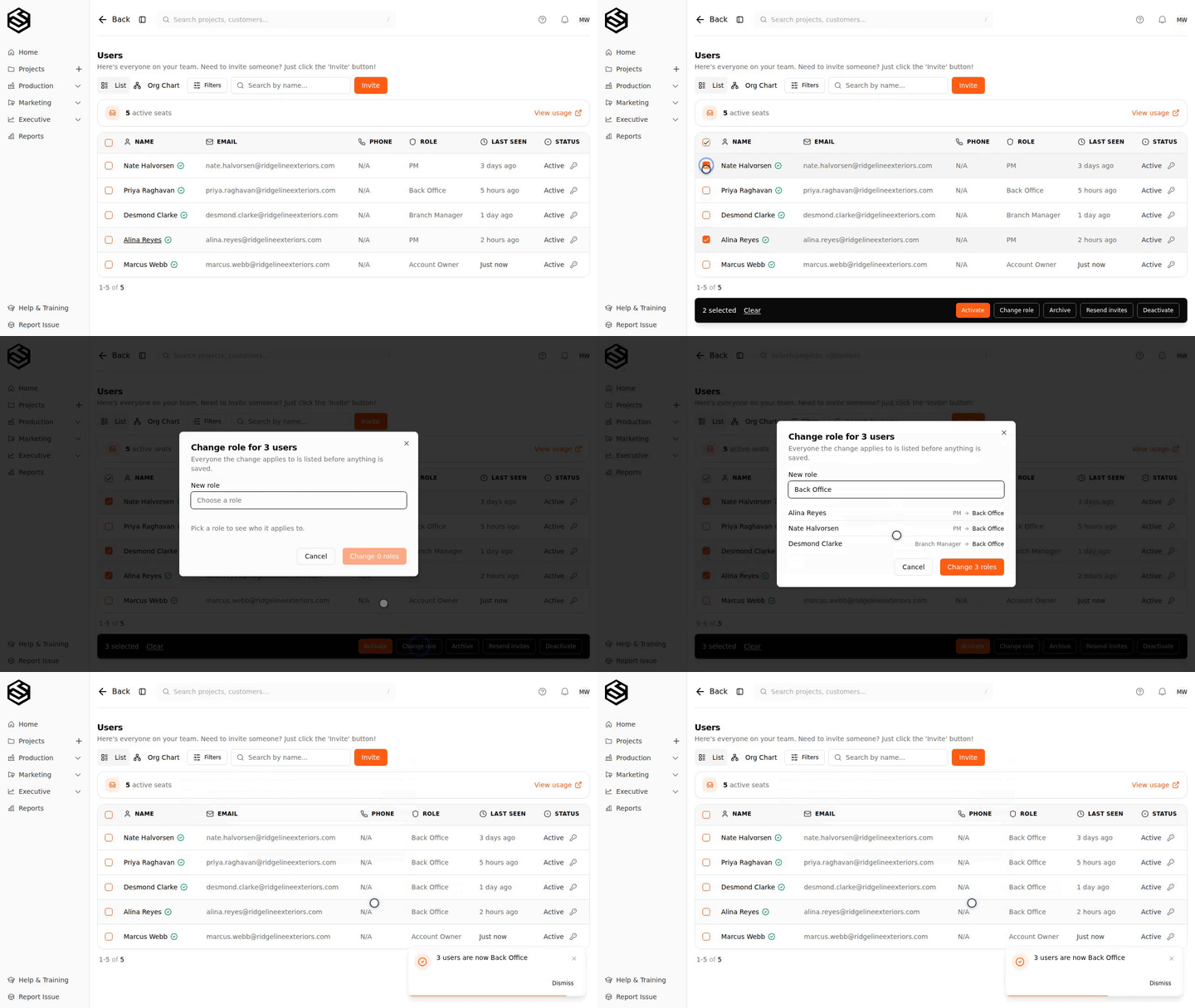
Tick the people, pick the role, and Trussi spells out every change before it saves anything — who each person is now, and who they become. You approve a decision rather than a sentence.
It tells you what it will not touch
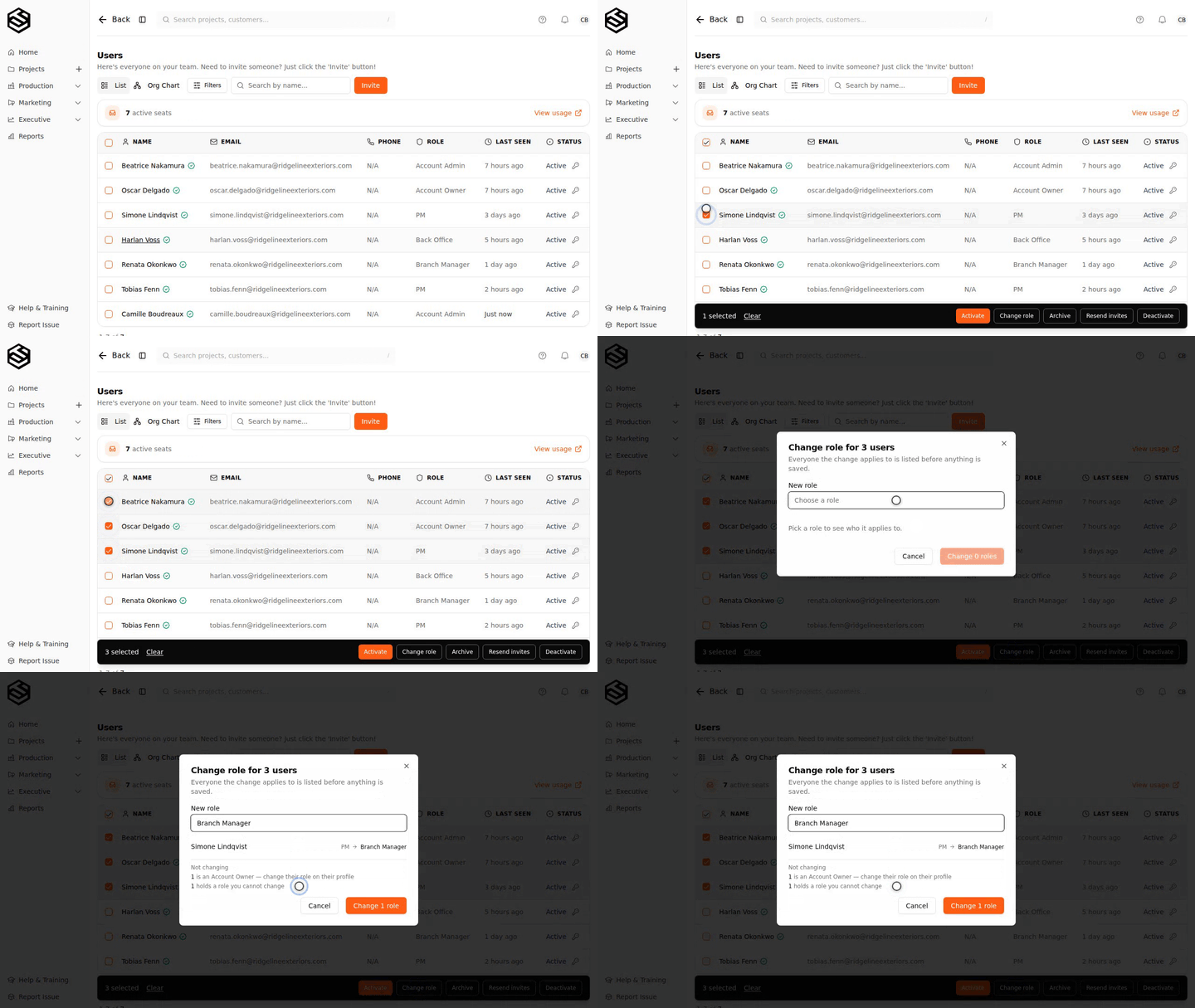
A bulk action you cannot see the edges of is one nobody uses twice. So the same preview names everyone it is leaving alone, and why.
You cannot change your own role. You cannot change the role of anyone level with you — that is what the Account Owner is for, and an owner can. And the owner themselves stays put, because ownership carries the authority to cancel the subscription and put a card on the account, and handing that out is a deliberate, one-person-at-a-time decision rather than something a dropdown does to forty rows.
Someone leaves. Now what?
Until now the honest options were to leave them on the list forever or delete them — and deleting a project manager who is named on a hundred jobs is not really an option, so everyone chose the clutter.
Archiving is the third answer. It takes a person off your team list and leaves everything else exactly as it was.
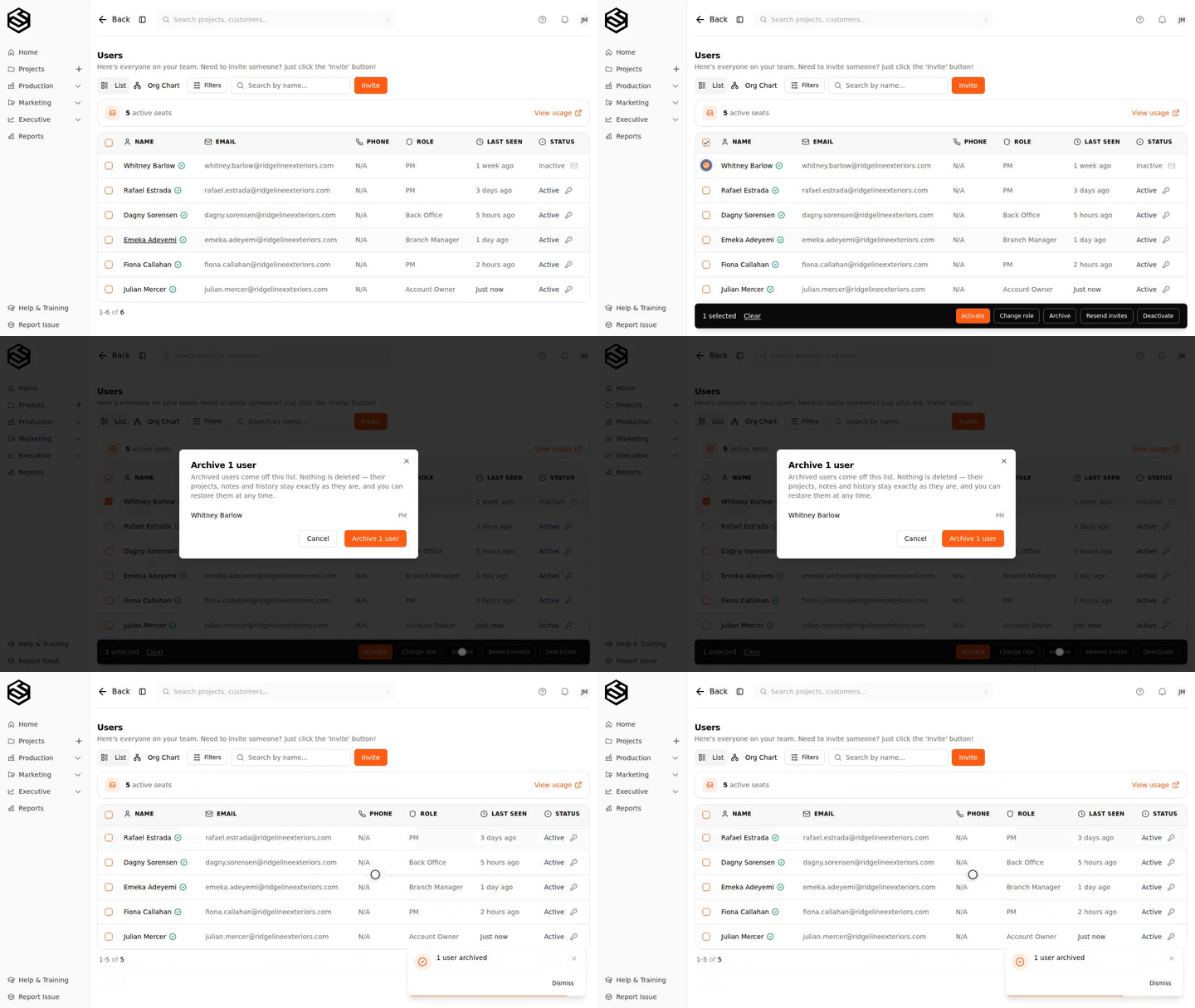
One rule worth knowing: a person has to be deactivated before they can be archived. Deactivating is the step that releases their seat and their sign-in, so archiving somebody first would hide a person who could still log in and was still being billed for. If you tick someone who is still active, the dialog says so and tells you which order to do it in.
Nothing is deleted
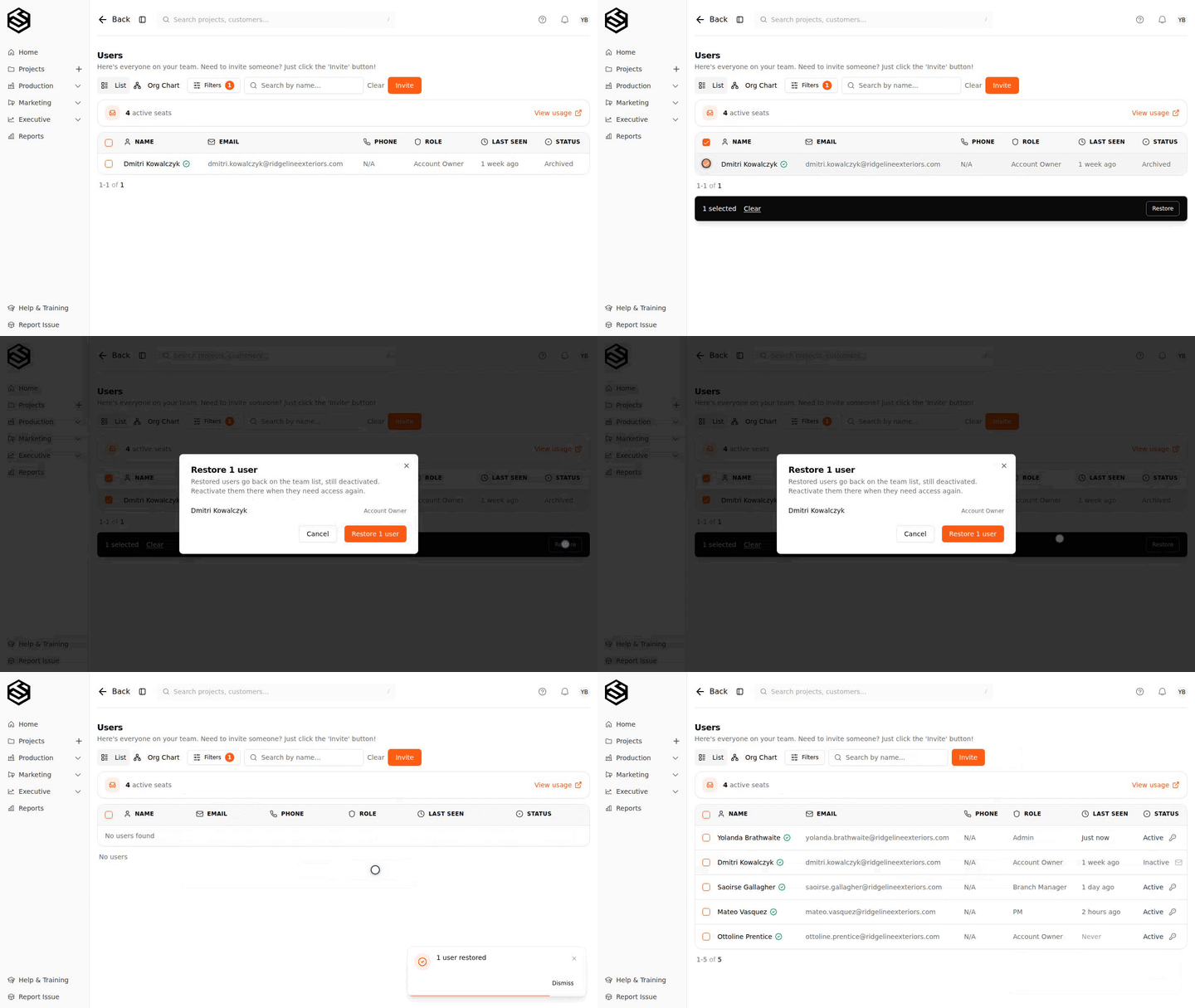
Their jobs, their notes, the payments they took, the org chart, every place their name appears on work they did — all of it stays. Switch the list to Archived to see who is in there, and one click puts a person back.
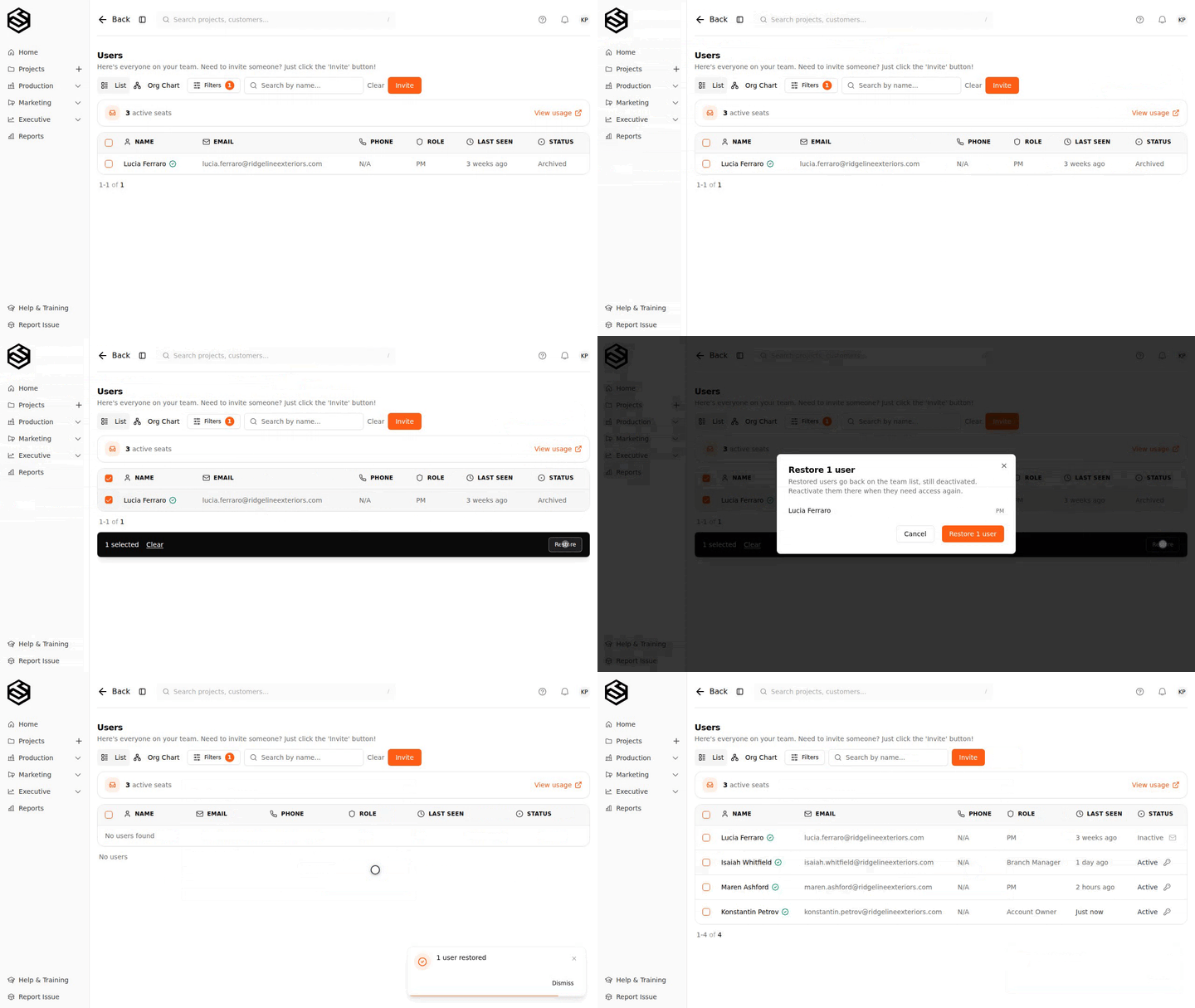
Restoring returns them to the team list still deactivated. It puts the row back; it does not buy a seat or hand back access until you decide to.
And nobody gets stranded
Every filing system needs a way out of the states nobody planned for. If somebody ends up archived and out of your reach — they were made an owner after they were archived, say, or they hold a role above yours — the screen tells you who can help instead of leaving you to guess whether it is possible at all.
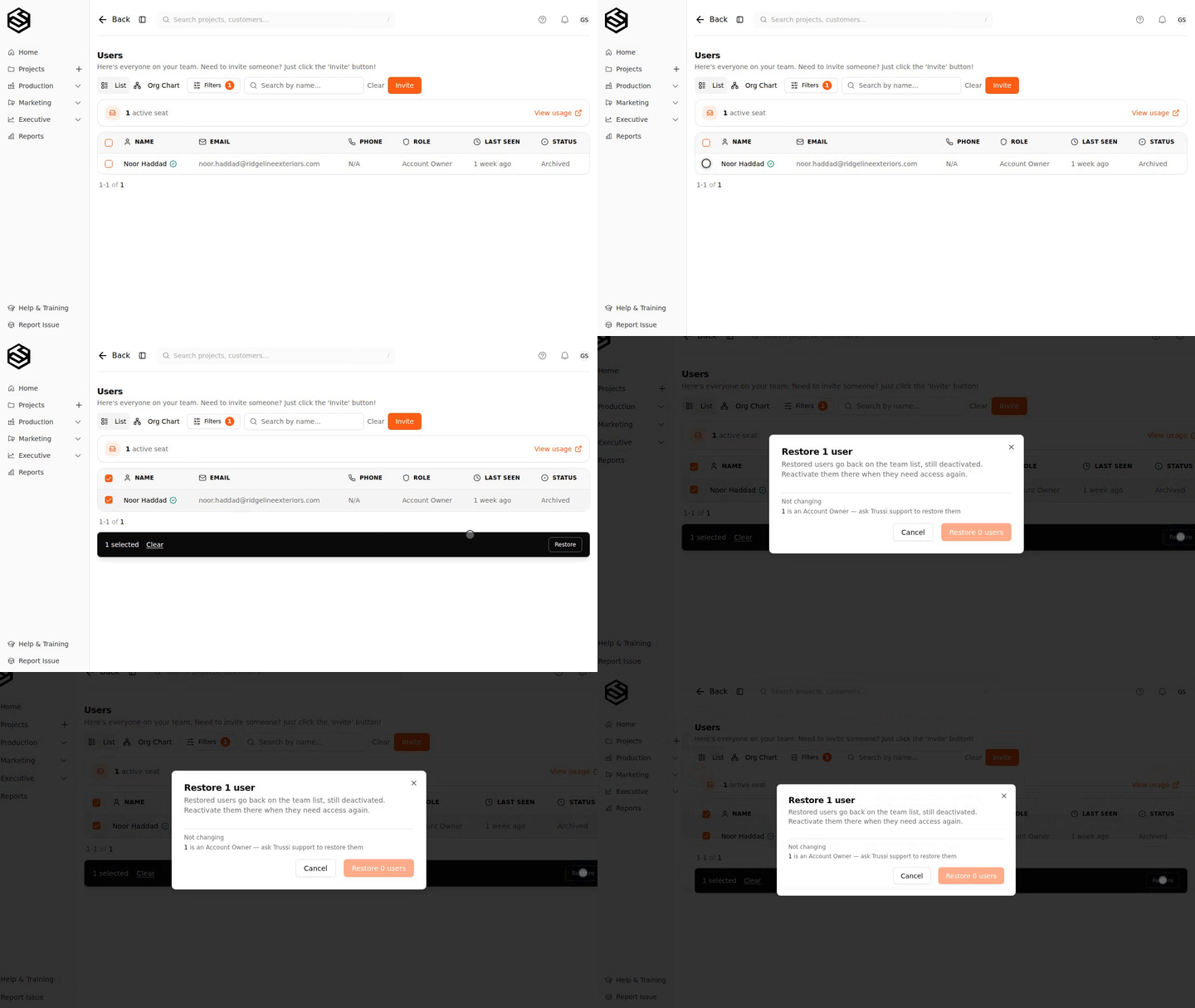
Trussi support can restore anyone out of your archive, whatever role they hold. It is the same repair path we keep for an account that has ended up with no owner at all.
Nothing to turn on
Both are live on your account now. Open Users, tick somebody, and the actions are along the bottom of the screen.
If you need someone restored, or you are stuck on a role you cannot change, reply to any Trussi email and we will sort it out with you.
Role changes show up in dashboards the same day. For how a role change affects who gets credit for a sale, see The Sales Leaderboard: what Signed and Collected each count.