What to do when a roofing payment bounces
ACH returns and chargebacks now show up on the project, in the export queue, and in your notifications - not just in the payment portal.
A customer asked us a question a few weeks ago that turned out to be the whole feature. They had spotted an ACH Return badge in the payment portal against a $750 payment and wanted to know two things. Did that mean the money never arrived and the homeowner still owed it? And was the portal the only place they would ever see it?
The answers were yes, and yes. Neither was good enough, so we fixed the second one.
Why a paid job can stop being paid
An ACH debit is a request, not a transfer. The gateway approves it the moment it is submitted, which is what puts a green Approved next to it on the screen. The customer’s bank then has weeks to refuse it - insufficient funds, a closed account, a stop payment, a dispute. When it does, the money leaves your account again, long after everyone stopped thinking about that job.
Card chargebacks work the same way. The sale looks settled, and then it is not.
Trussi used to read only the first half of that story. The payment was approved, so the balance was paid, so the row sat in the QuickBooks export queue like any other collected payment. The return existed only in the payment portal, which is not a screen anyone opens daily. Here is what changed.
You get told
Trussi notifies the office the moment a payment comes back, and the notice opens straight to the payment it came from. Account admins, back office, and whoever the project is assigned to - the people who can actually do something about it.
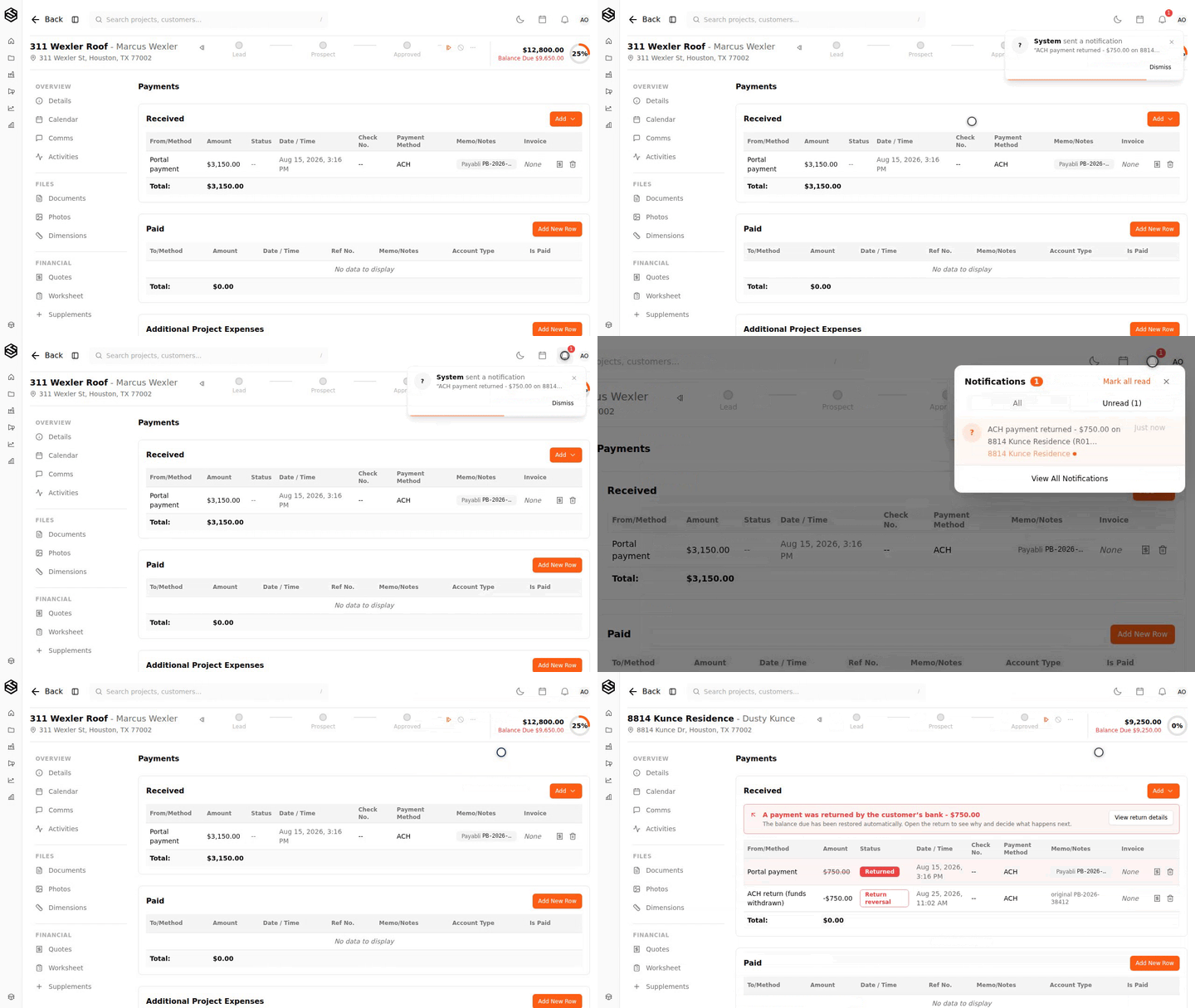
The customer is deliberately not emailed. A return is sometimes a false alarm - a retry on a second account that already went through - and an automatic "your payment failed" message on top of that costs more trust than the delay does.
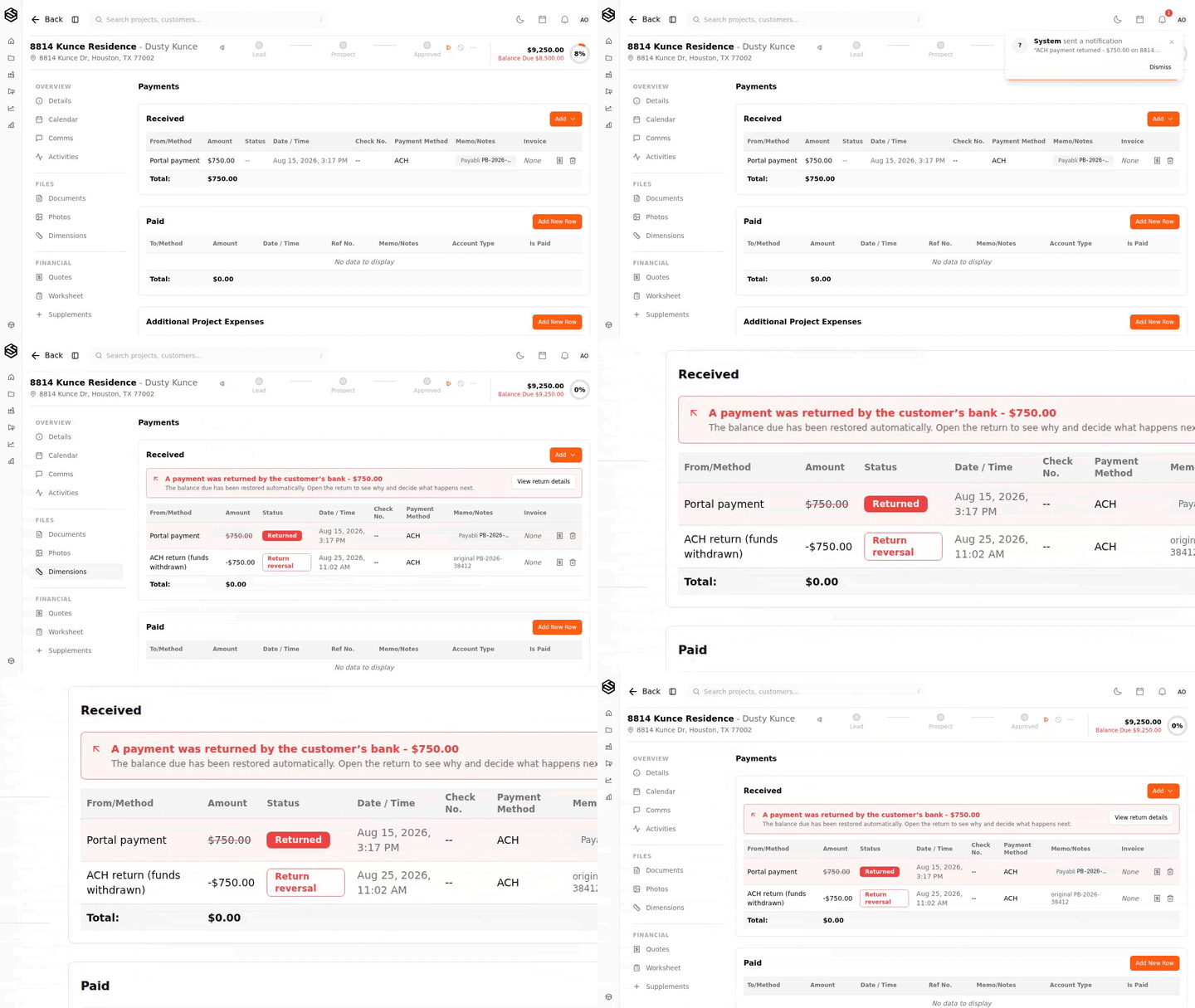
The project shows what happened to the money
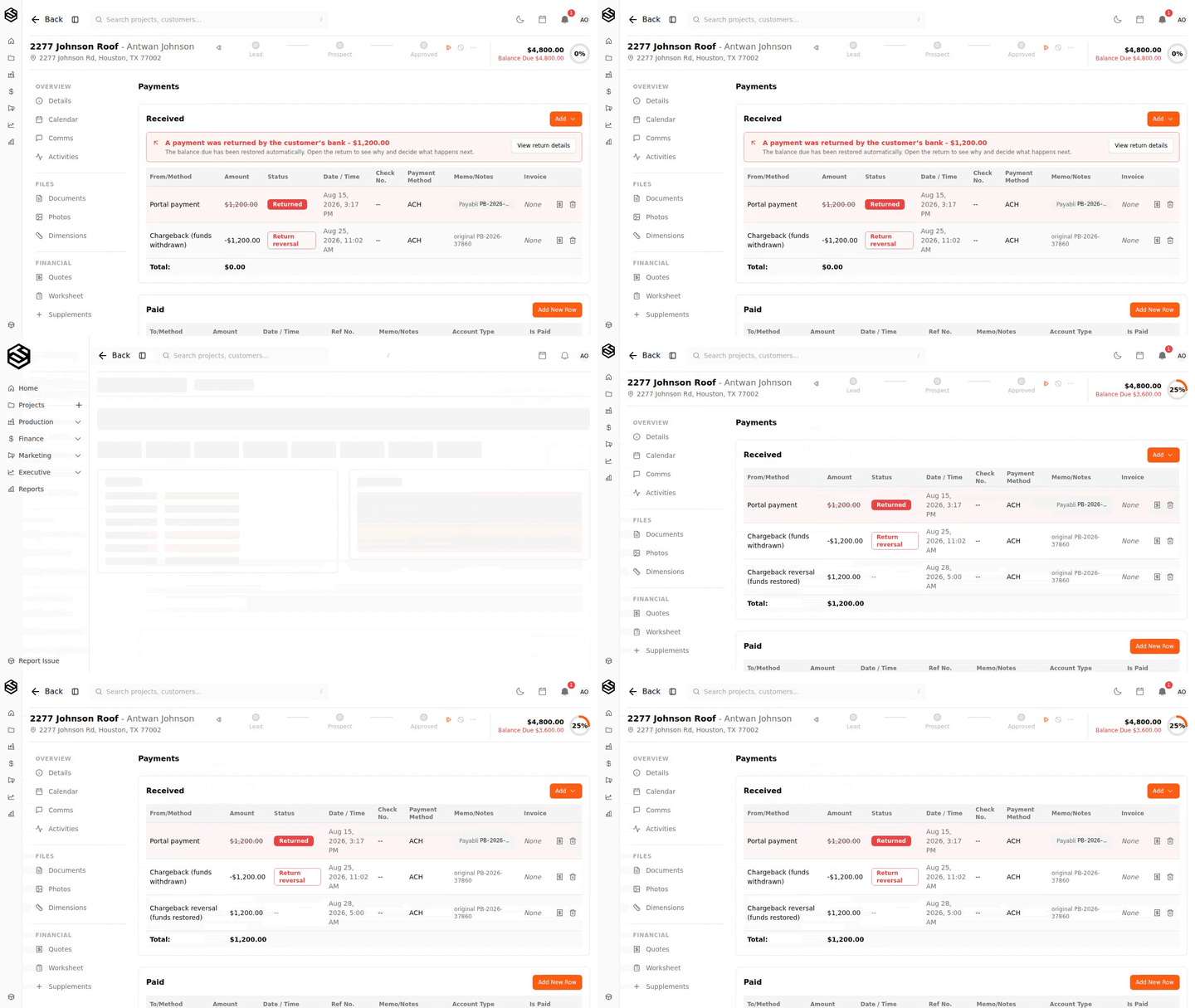
The payment is marked Returned, a reversing entry sits beside it, and the balance due comes back. The original is stamped rather than deleted, so a month later you can still read the whole story off the page: it was paid, it came back, here is what happened next.
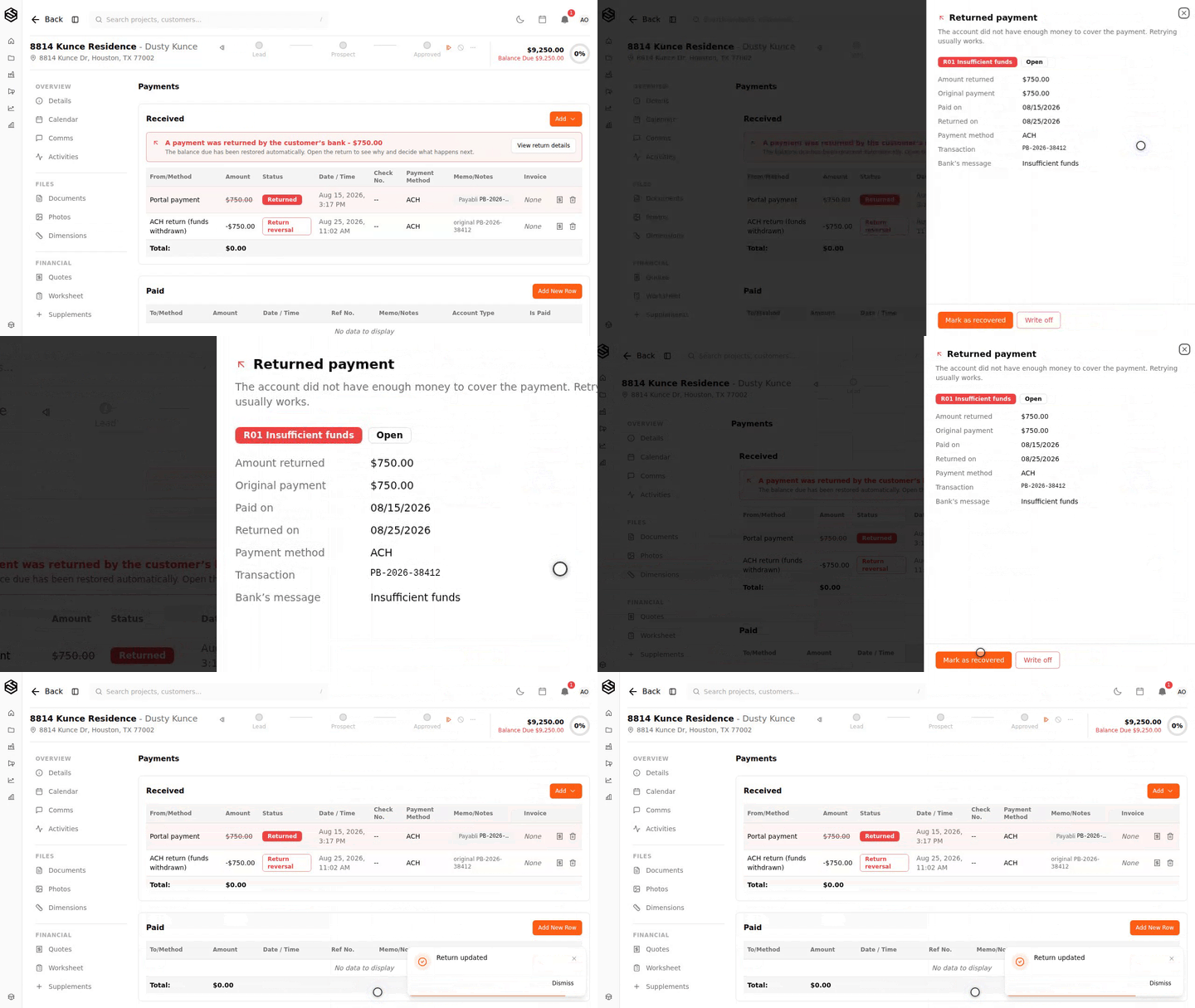
Why it bounced, in plain English
Banks return payments with a NACHA code - R01, R02, R08. The code is the difference between "ask them to try again" and "you need different bank details", so Trussi says which it is in words.
R01 reads "The account did not have enough money to cover the payment. Retrying usually works." R02 tells you the account is closed and to ask for new details. R08 is a stop payment, which is a conversation rather than a retry. Then you close it out: recovered, or written off with a note.
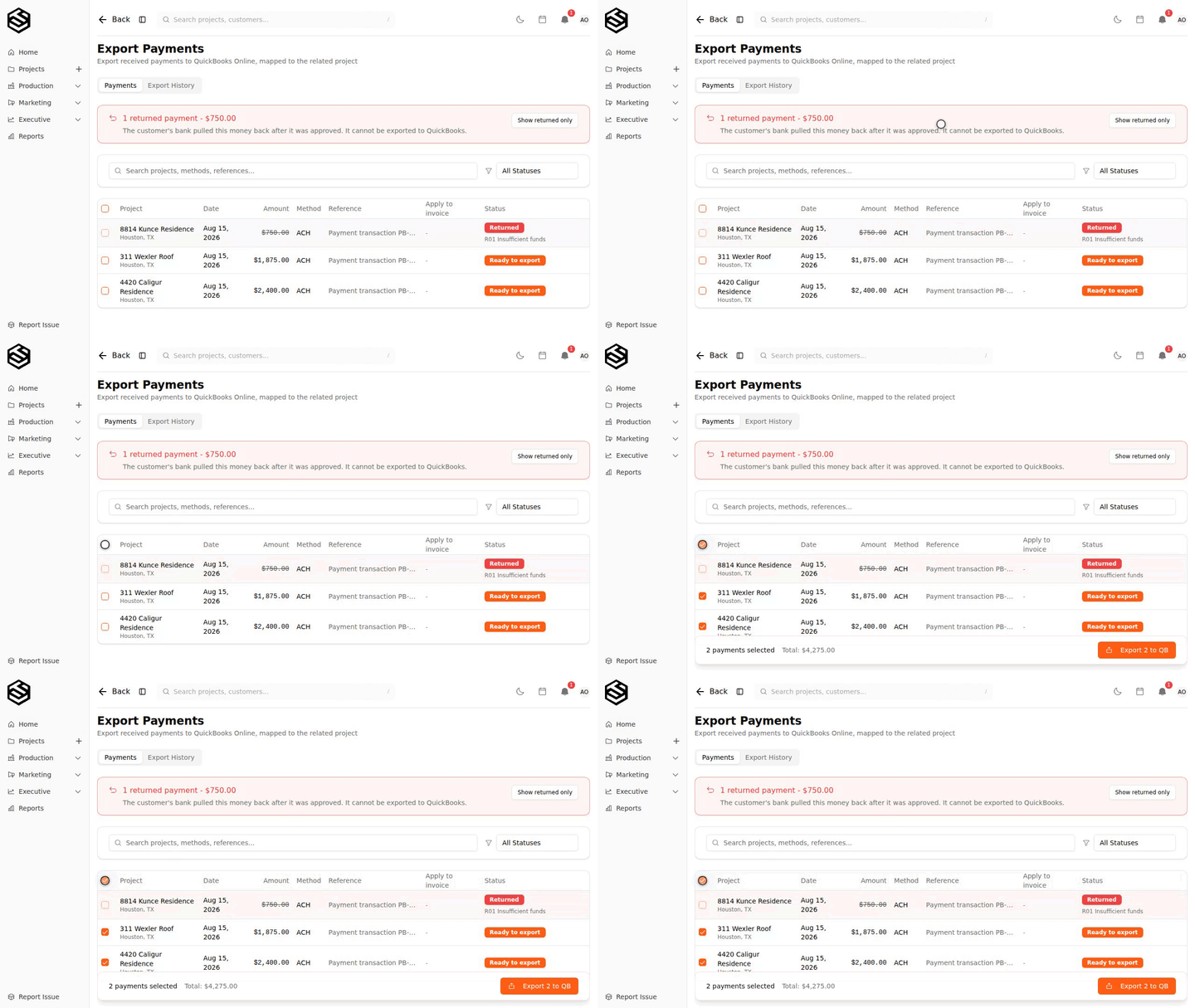
Your books stay clean
A returned payment cannot be exported to QuickBooks. Not individually, and not by reaching for Select all - the row stays unchecked and says why. If it had already been exported before the return arrived, Trussi offers to reverse it there too rather than leaving your books claiming money you do not have.
This sits next to the rest of the job’s money in finance. For the full breakdown of what happens after a return, see Returned payments and chargebacks.
Win the dispute, get the money back
Chargebacks are not always final. When one is decided in your favour, the funds come back automatically, the return closes itself as recovered, and the alert clears. Both entries stay on the record - withdrawn, then restored - so the history reads honestly.
Nothing to turn on
This is live on your account already. The next return that arrives will find you, on the project, in the export queue, and in your notifications - rather than waiting in a portal for someone to go looking.
If you have seen a return you are not sure about, reply to any Trussi email and we will look at it with you.